
Overview
Everyday university tasks, in one student app.
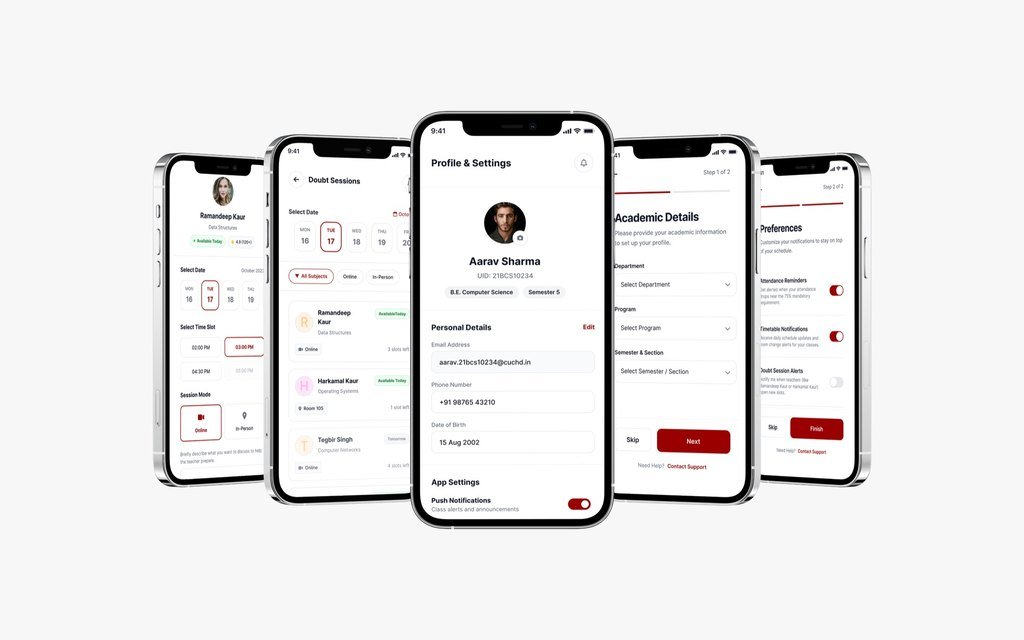
CampusOne is a mobile campus companion. It brings attendance, the timetable, syllabus progress, room information and doubt-session booking together in one place.
The screens centre on things students do again and again: checking where they stand, finding the next class and getting help with a doubt.
What it brings together
Five jobs, one app.
-
Attendance
Overall attendance against the 75% requirement, day and month views, each class marked present or absent, and a way to request a correction.
-
Timetable and rooms
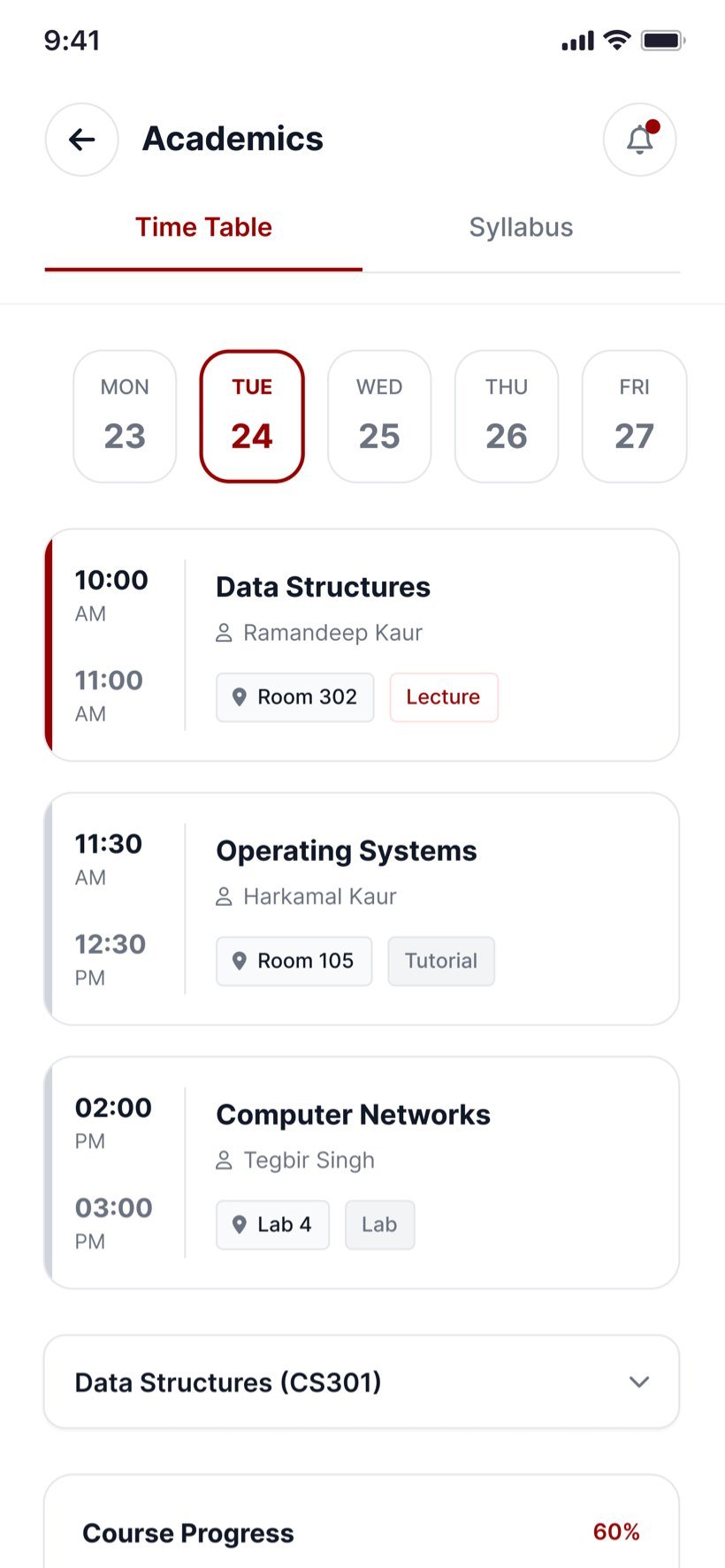
The day’s classes with time, subject, teacher and room, tagged as a lecture, tutorial or lab.
-
Syllabus
Course progress by unit, topics that can be marked as done, and the full course outline to download.
-
Doubt sessions
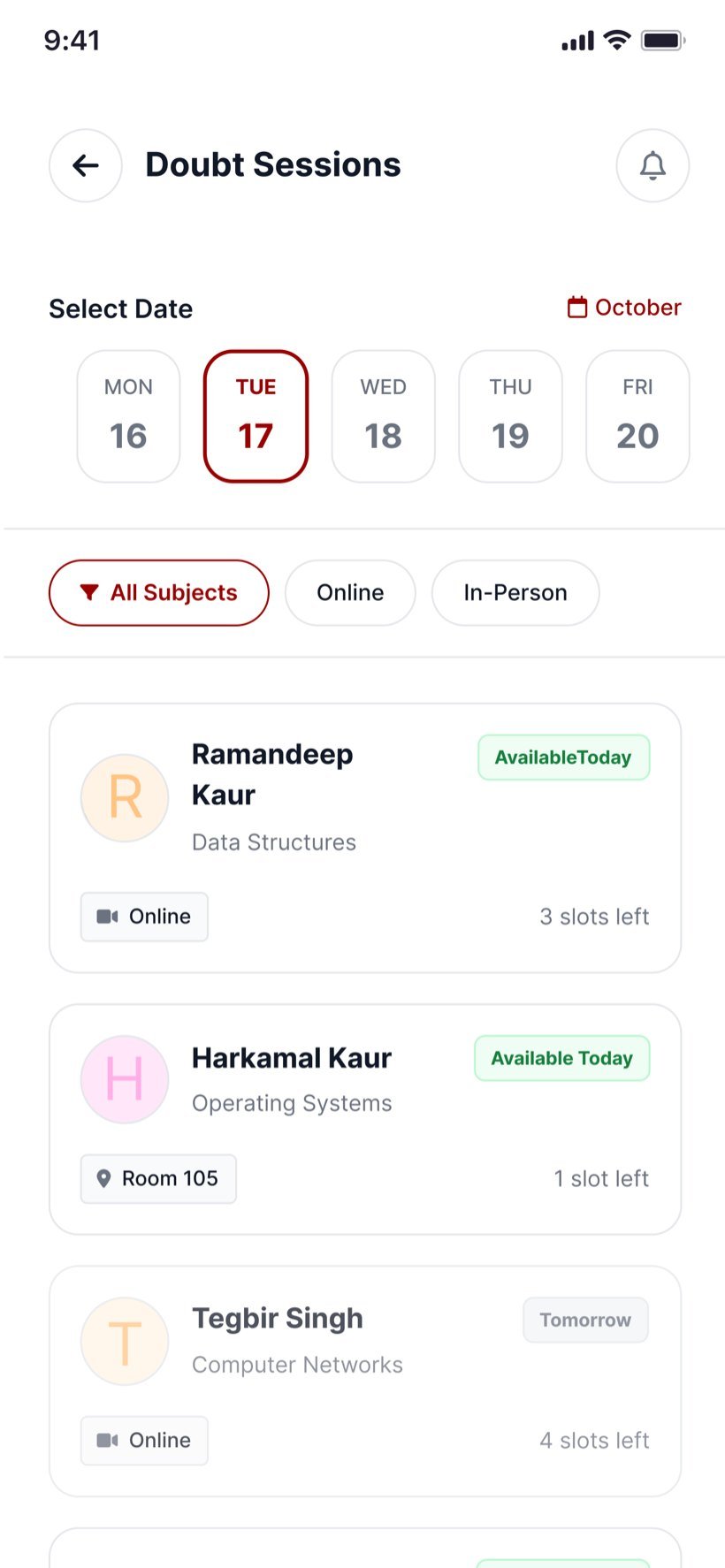
Teachers’ availability by date, subject and format, with booking for a time slot online or in person.
-
Profile and settings
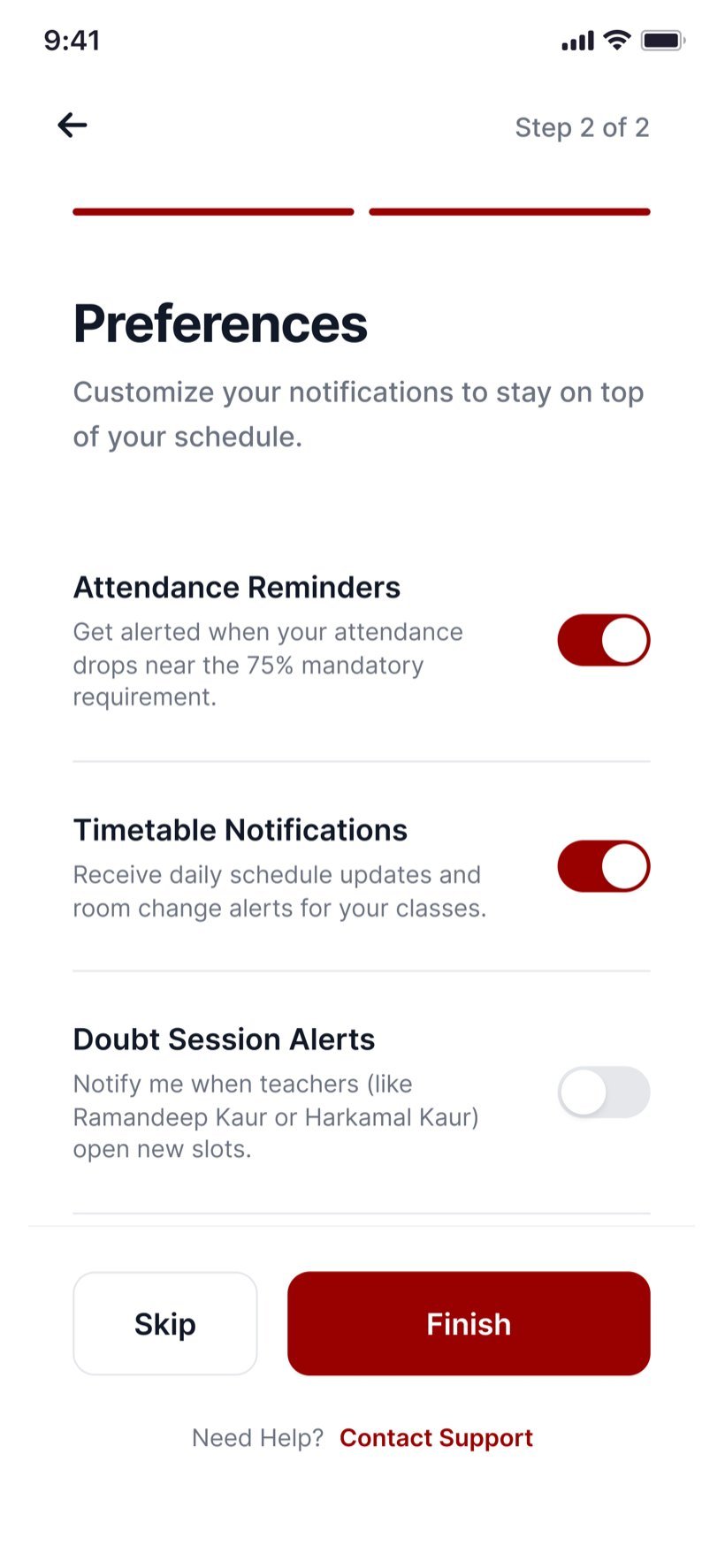
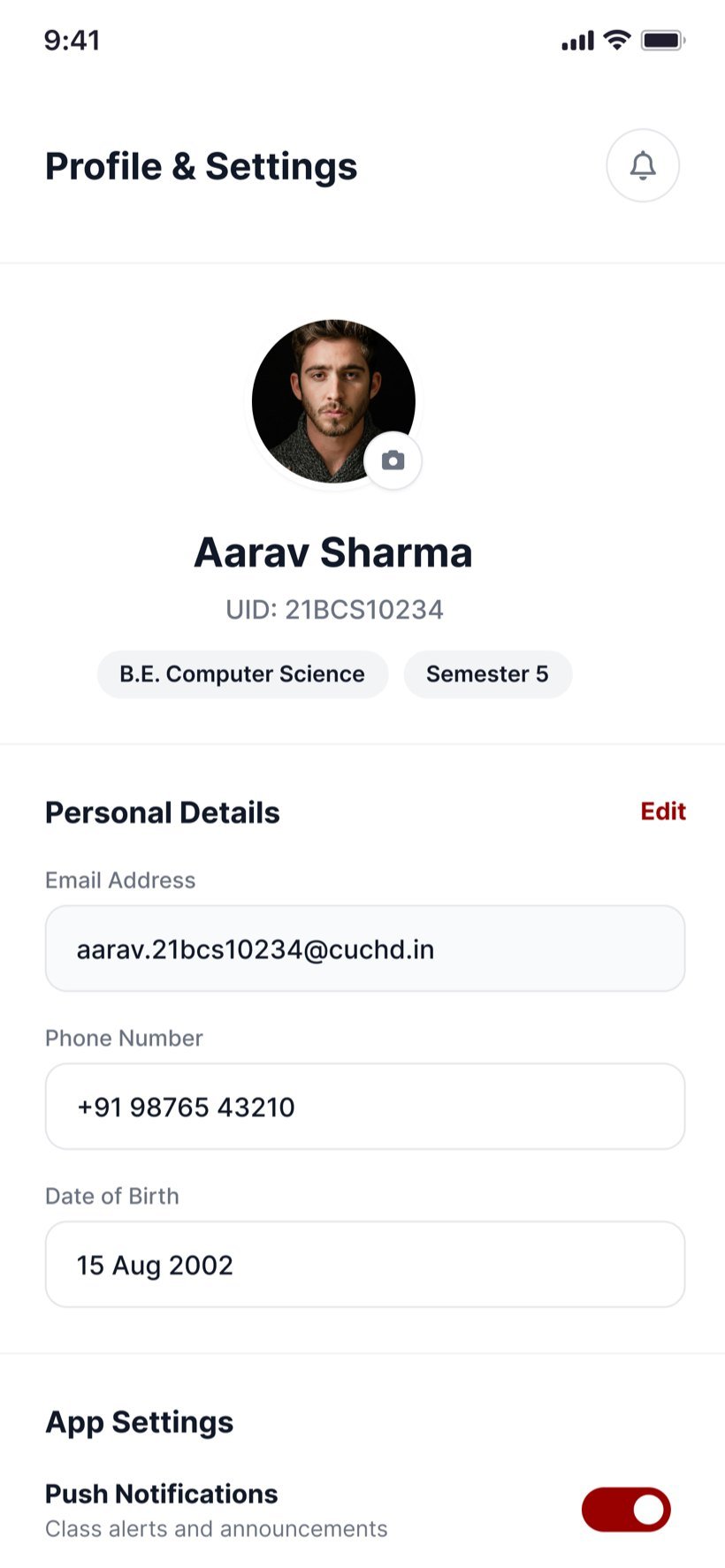
Personal details, notification preferences, help and privacy in one place.
Key flows
Designed to keep students on track.
01
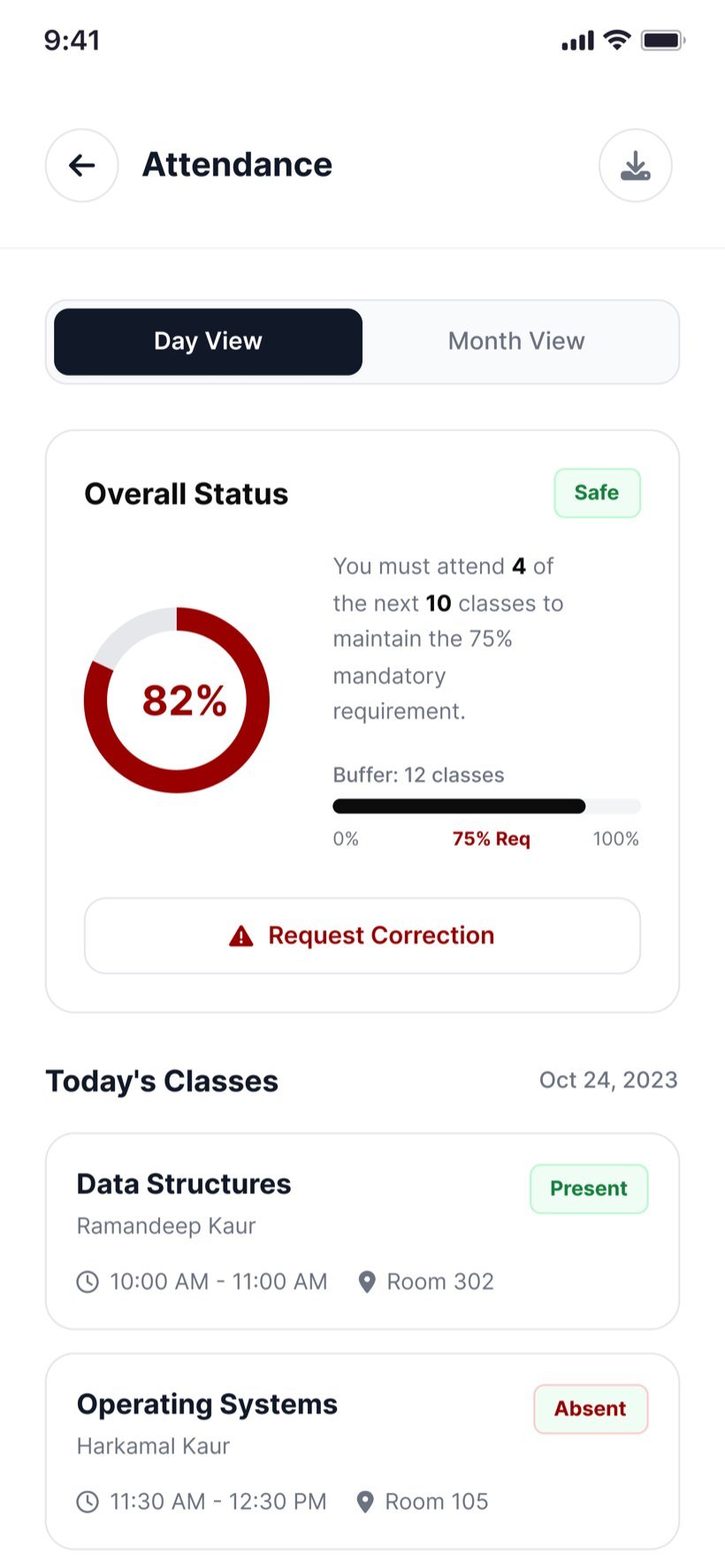
Attendance that says what to do next
The attendance screen goes beyond a percentage. It spells out how many of the next classes a student must attend to keep the 75% requirement, and how much buffer is left.
Behavioural designA plain status, such as Safe or On track, and a reminder when attendance nears the limit turn a number into a next step.
02
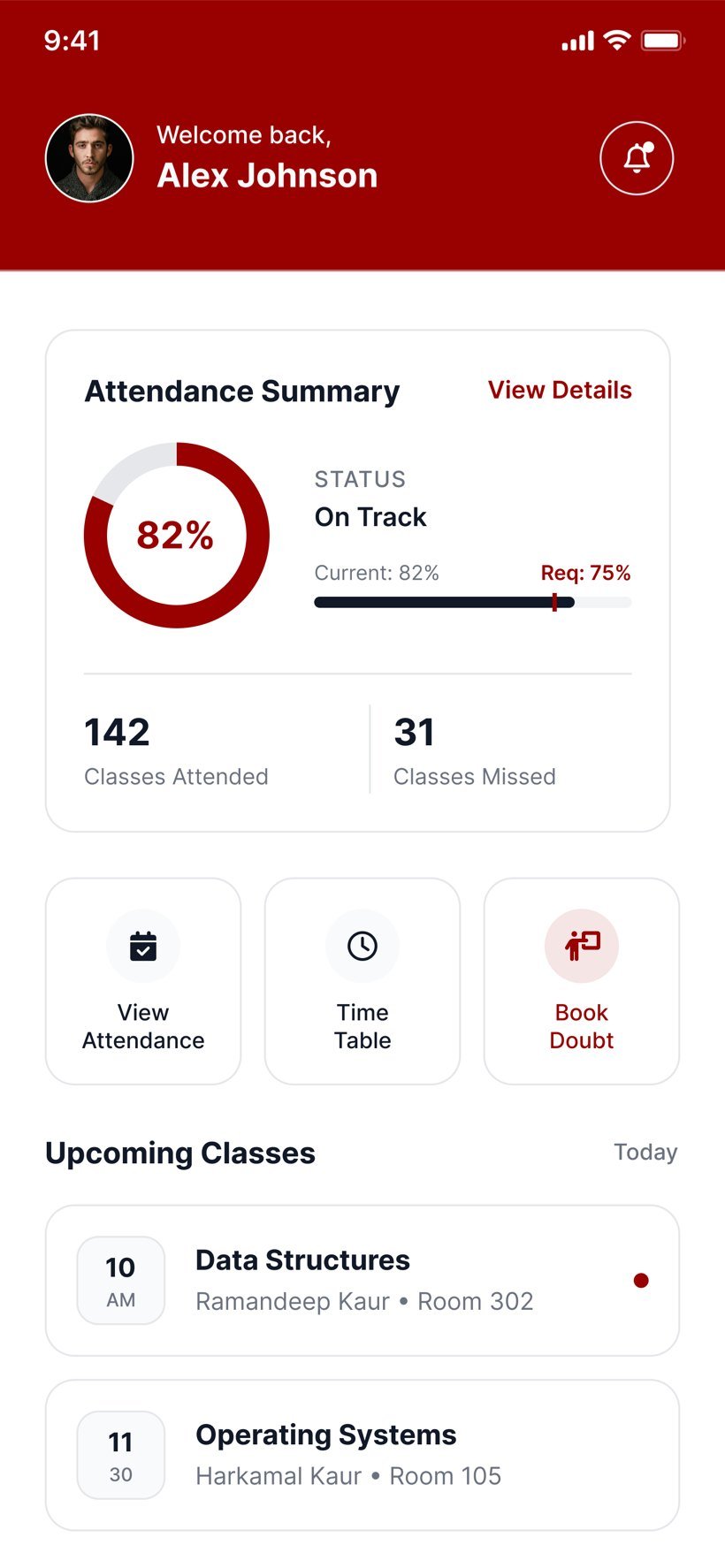
A dashboard for the day ahead
The home screen leads with the attendance summary and classes attended and missed, then shortcuts to attendance, the timetable and doubt booking, the next classes with their rooms, and pending syllabus topics.
03
Timetable and syllabus side by side
A week strip picks the day, and each class shows the time, teacher, room and type. The syllabus tab tracks progress by unit, so students can mark topics as done and download the outline.
04
Getting help without the back-and-forth
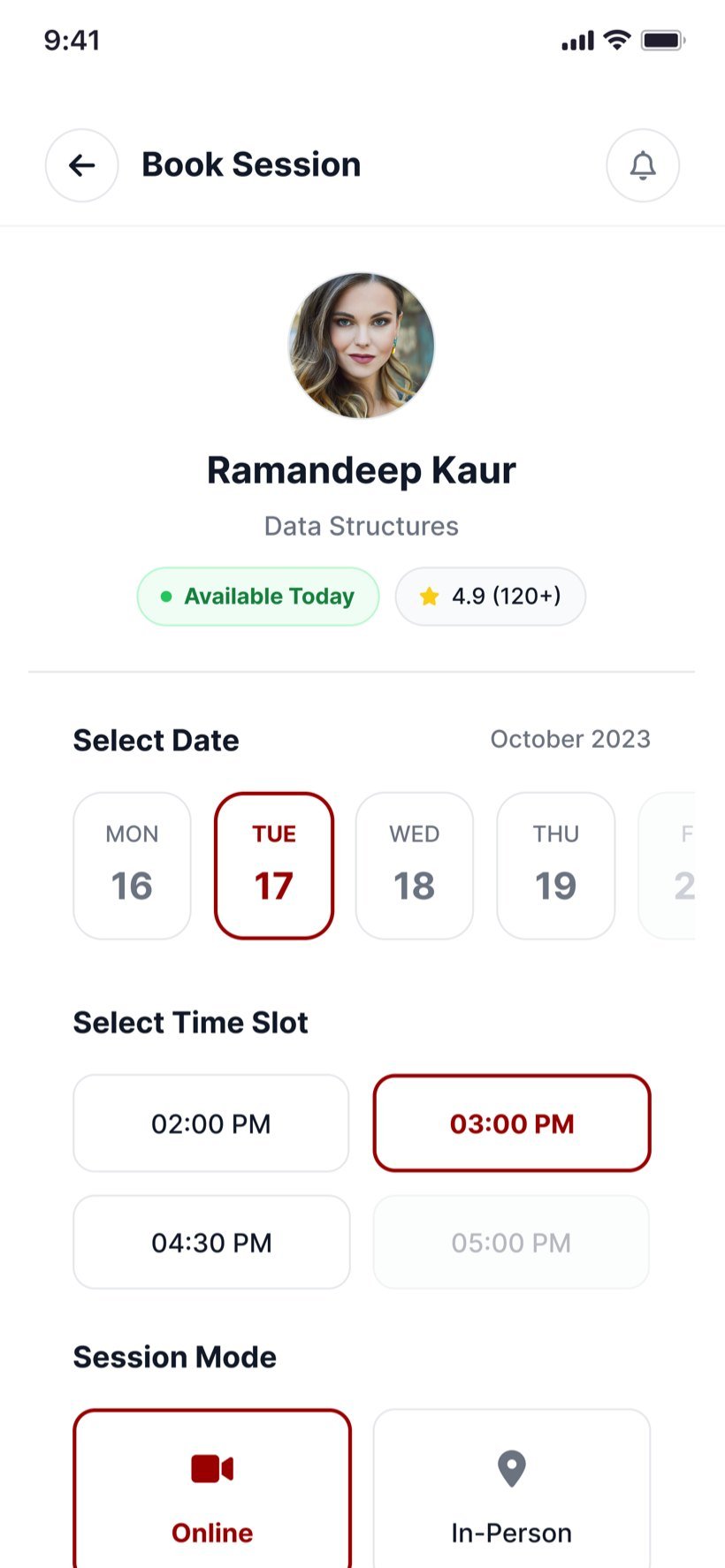
Students filter doubt sessions by date, subject and online or in person, and see how many slots each teacher has left. Booking takes a date, a time slot, a mode and a short note about the doubt.
DetailThe cancellation policy is shown before booking: sessions can be cancelled or rescheduled up to two hours before they start.
05
A confirmation with the next step
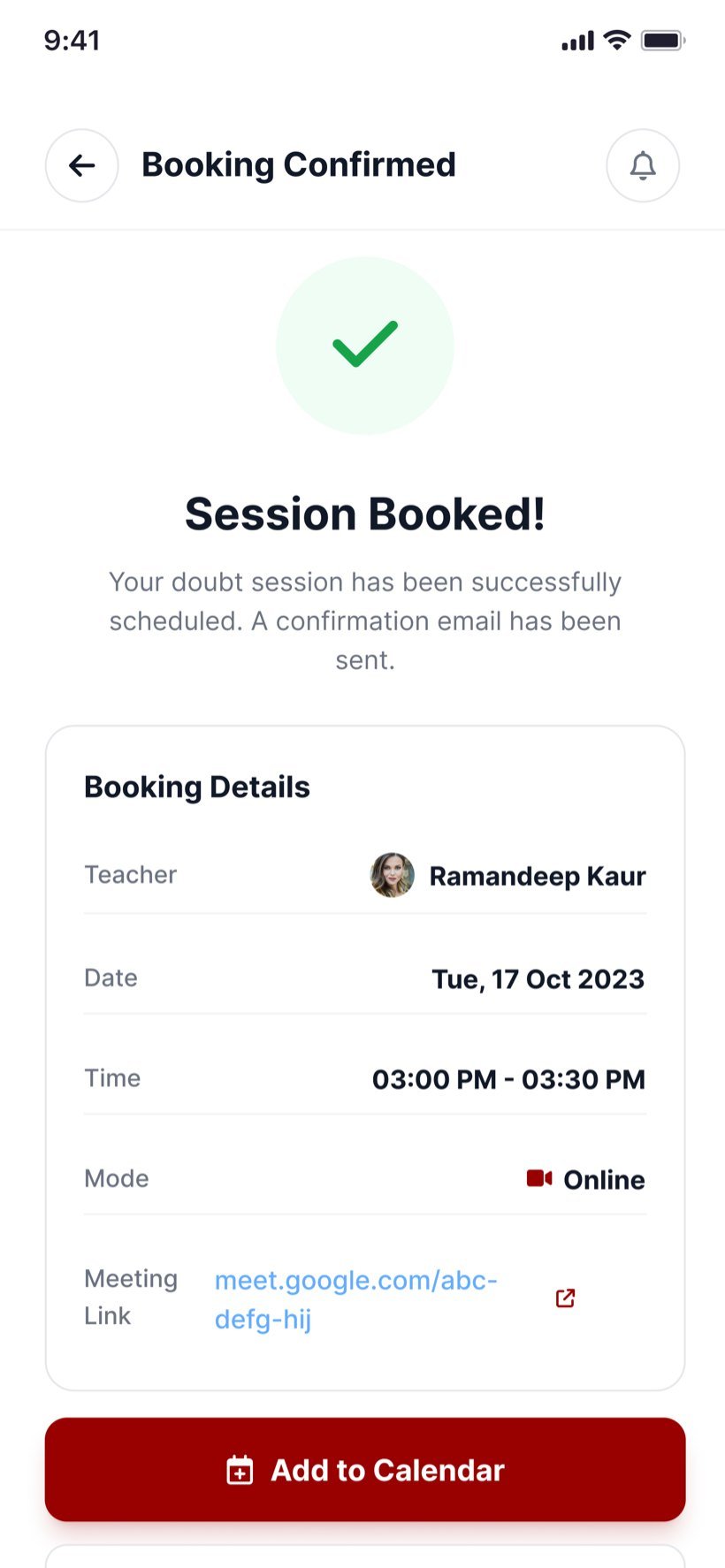
The confirmation repeats the teacher, date, time, mode and meeting link, and offers to add the session to the calendar.
App screens
The student app, screen by screen
Scroll or use arrow keys