EdTech · Mobile App
CampusOne
The daily companion that keeps university students above the 75% line
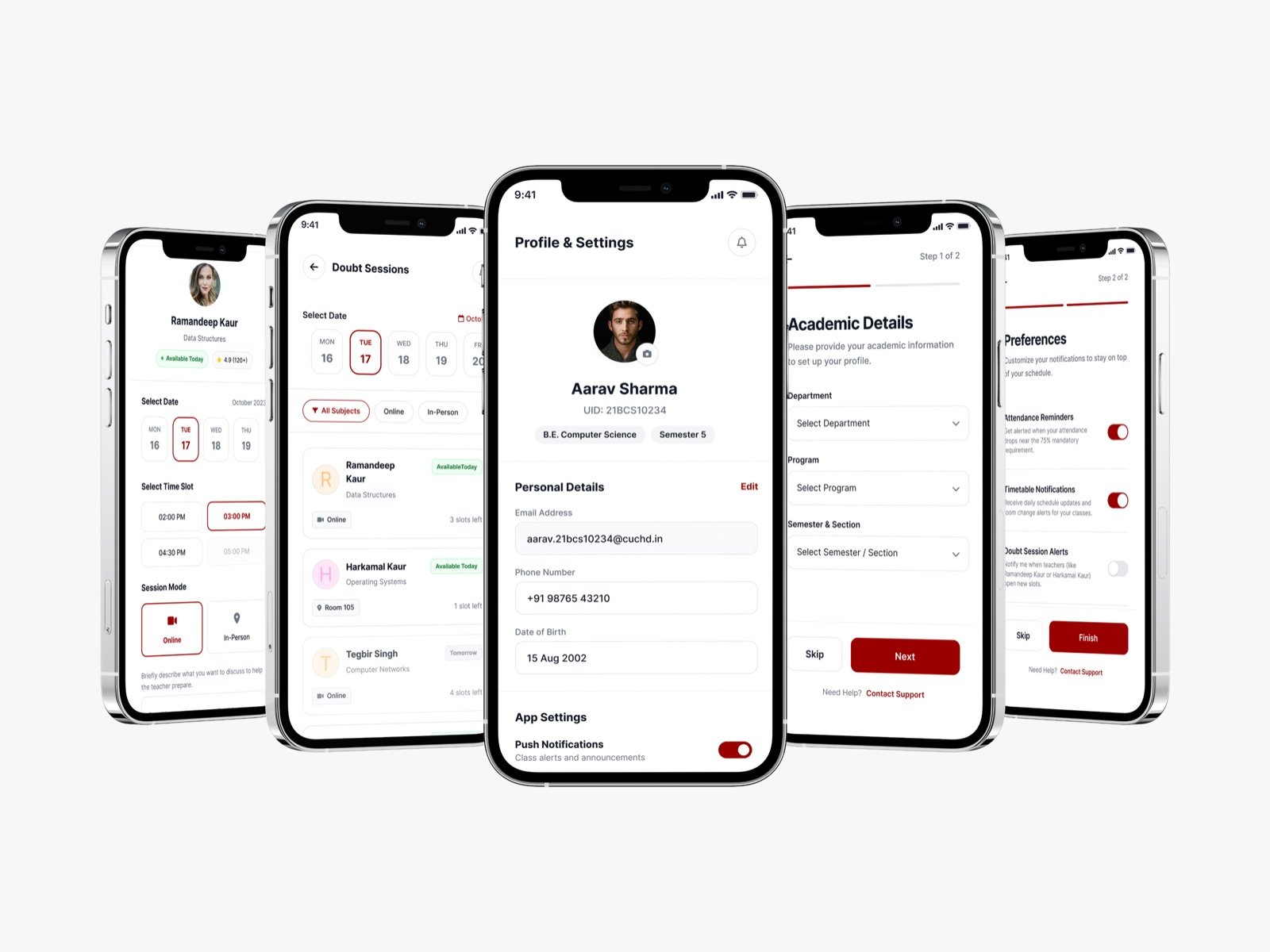
- Role
- Product Designer
- Team
- Product · engineering · university stakeholders
- Timeline
- End-to-end product design · 2024
- Platforms
- iOS, Android
- 0
- Core jobs, one app
- 0+
- Screens designed
- 0%
- The line it protects
attendance · timetable · syllabus · doubts
onboarding to booking confirmation
mandatory attendance, made glanceable
01 — Overview
One app for the anxieties of campus life
At most Indian universities, a student who drops below 75% attendance can be barred from exams — a genuinely high-stakes number. Yet students track it in their heads, learn about room changes too late, and clear doubts by cornering faculty in corridors. The information they need to stay on track is real, but it's scattered across notice boards, group chats and a portal nobody enjoys opening.
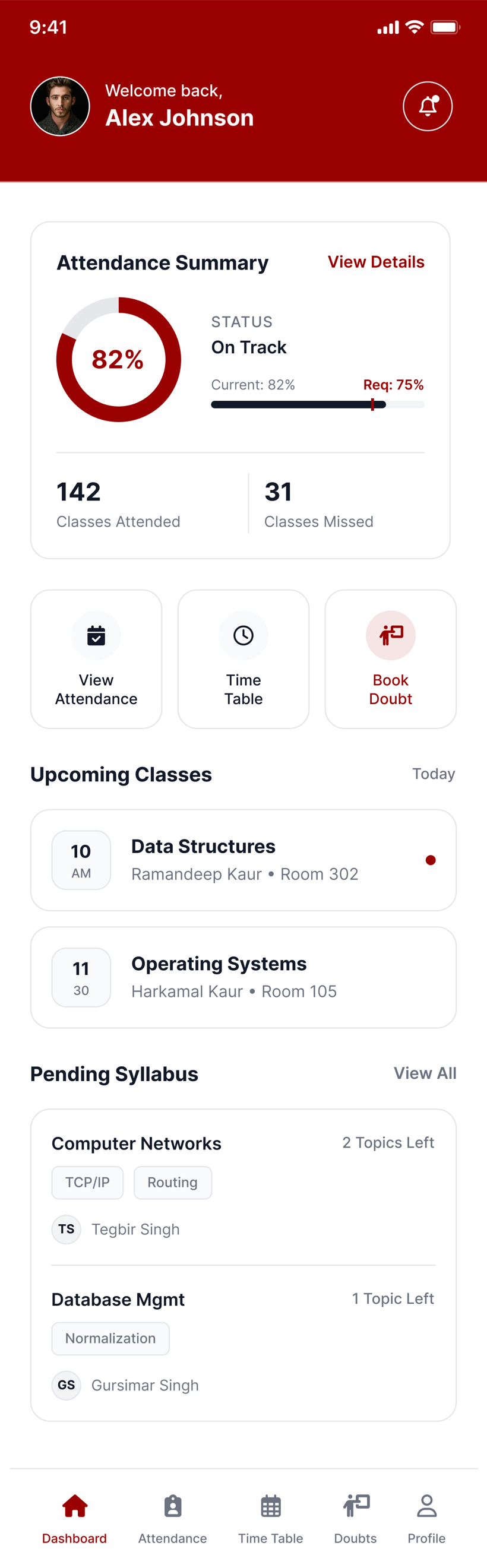
CampusOne pulls it into one calm mobile app: attendance at a glance, a live timetable, syllabus progress and doubt-session booking — signed in with the university's own SSO.
The problem
The information that decides exam eligibility and grades lives in fragments. Students react late instead of planning ahead.
Business goals
Improve attendance and engagement outcomes for the university; give students a reason to open the official app daily instead of ignoring it.
Constraints
Must integrate with university SSO and existing records; a broad student base on a wide range of Android devices; institutional tone expected.
02 — Research
How students actually track their lives
I interviewed students across years and departments and mapped how they currently keep on top of attendance and schedule. The recurring pattern: everyone did anxious mental math about attendance ('if I skip this, am I still safe?') with no reliable number to anchor it. The stress wasn't laziness — it was uncertainty. The app's job was to replace guesswork with a trustworthy, glanceable answer.
Aarav
The B.E. student
“I just want to know: how many classes can I miss this month and still be safe?”
- Attendance buffer
- Room-change alerts
- Quick doubt help
Simran
The high achiever
“I don't want to chase teachers for doubts. Show me their free slots and let me book.”
- Faculty availability
- Syllabus tracking
- Reminders
Insight — students want a buffer, not a percentage
'82%' means little under stress. 'You can miss 12 classes and stay safe' is the number that actually calms and guides.
Insight — surprises are the real pain
Missed classes usually came from last-minute room changes and schedule shifts nobody was told about in time.
Insight — doubts die in the friction
Students had questions but wouldn't chase faculty. Removing the coordination friction was the unlock.
03 — Design principles
Calm, glanceable, proactive
Answer the anxious question first
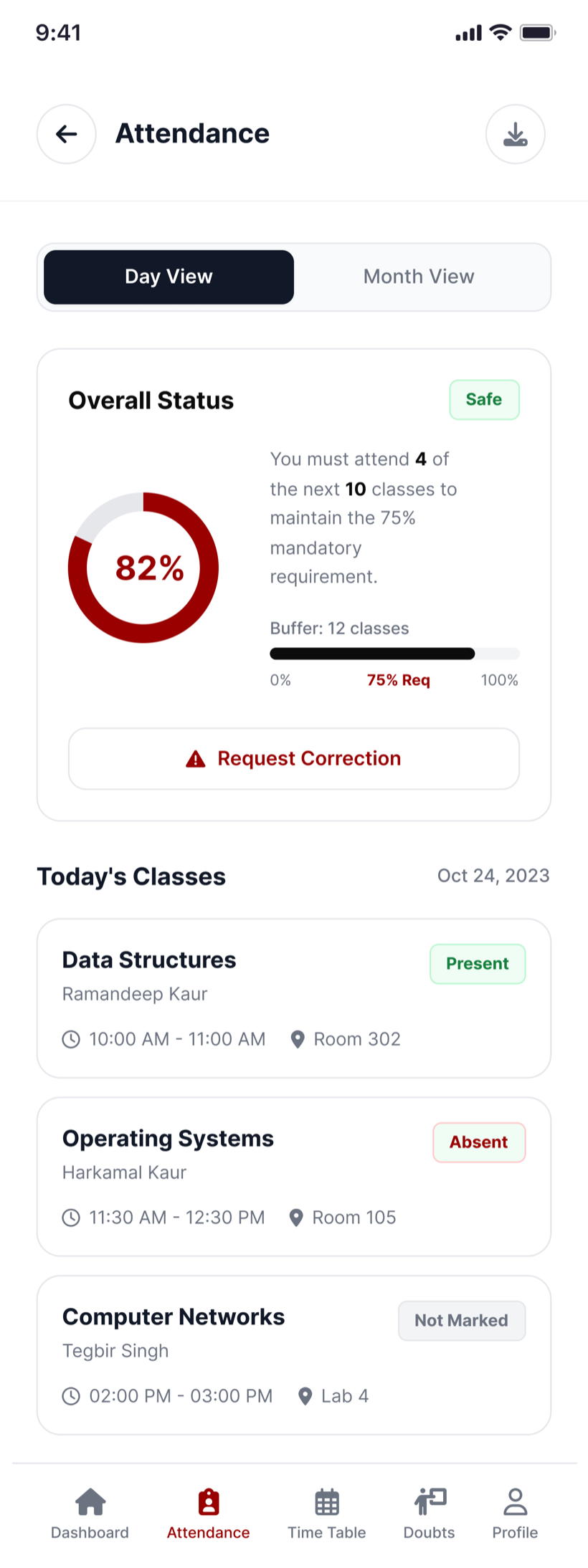
Attendance leads with a buffer ('miss up to N and stay safe') and a plain safe/at-risk status, not a bare percentage.
Push the surprise away
Room changes and schedule shifts become proactive notifications, so students plan instead of react.
Book, don't chase
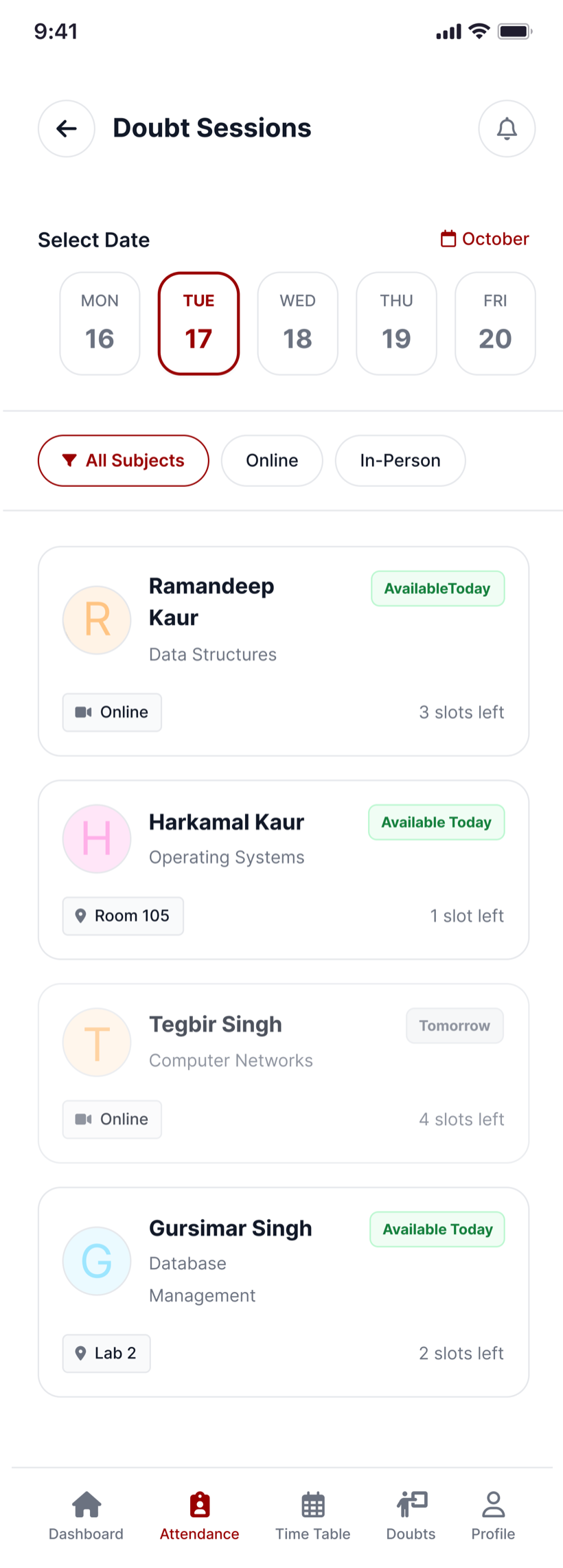
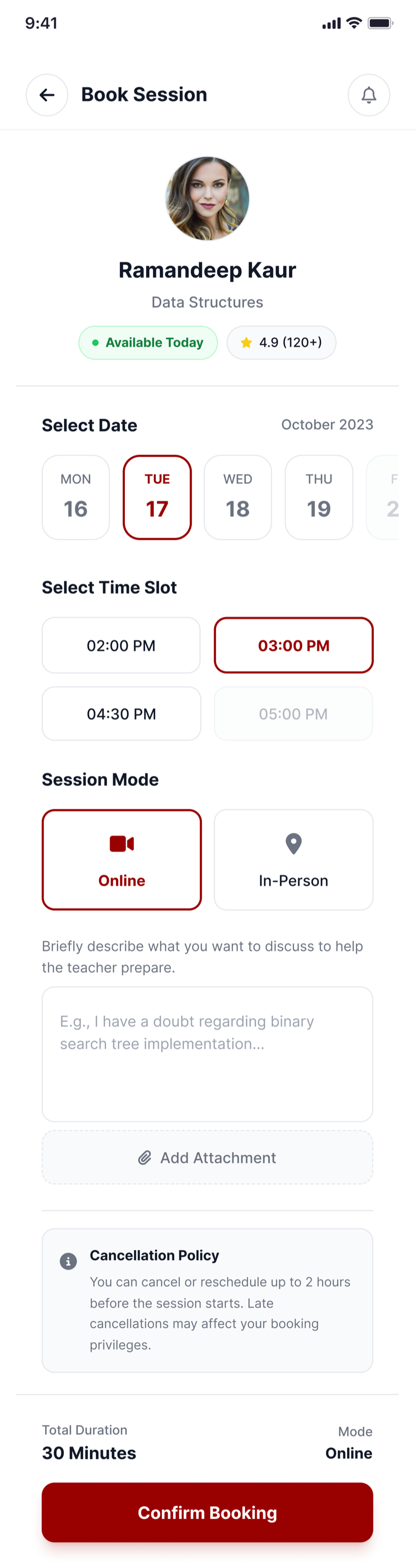
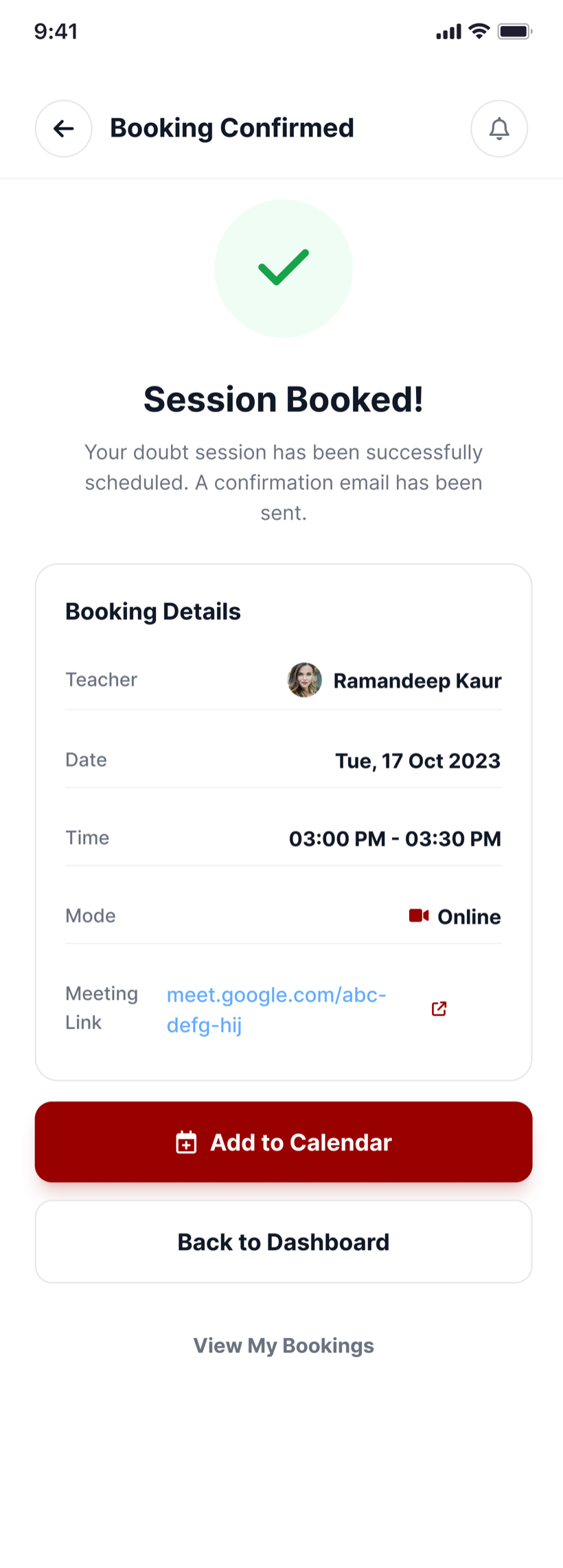
Doubt-clearing is a two-tap booking against real faculty slots, with confirmation and a meeting link — no corridor ambushes.
Respect the institution and the device
A restrained, official tone; fast and legible on modest Android phones; SSO sign-in students already trust.
04 — Onboarding
From SSO to set up in under a minute
First-run flow
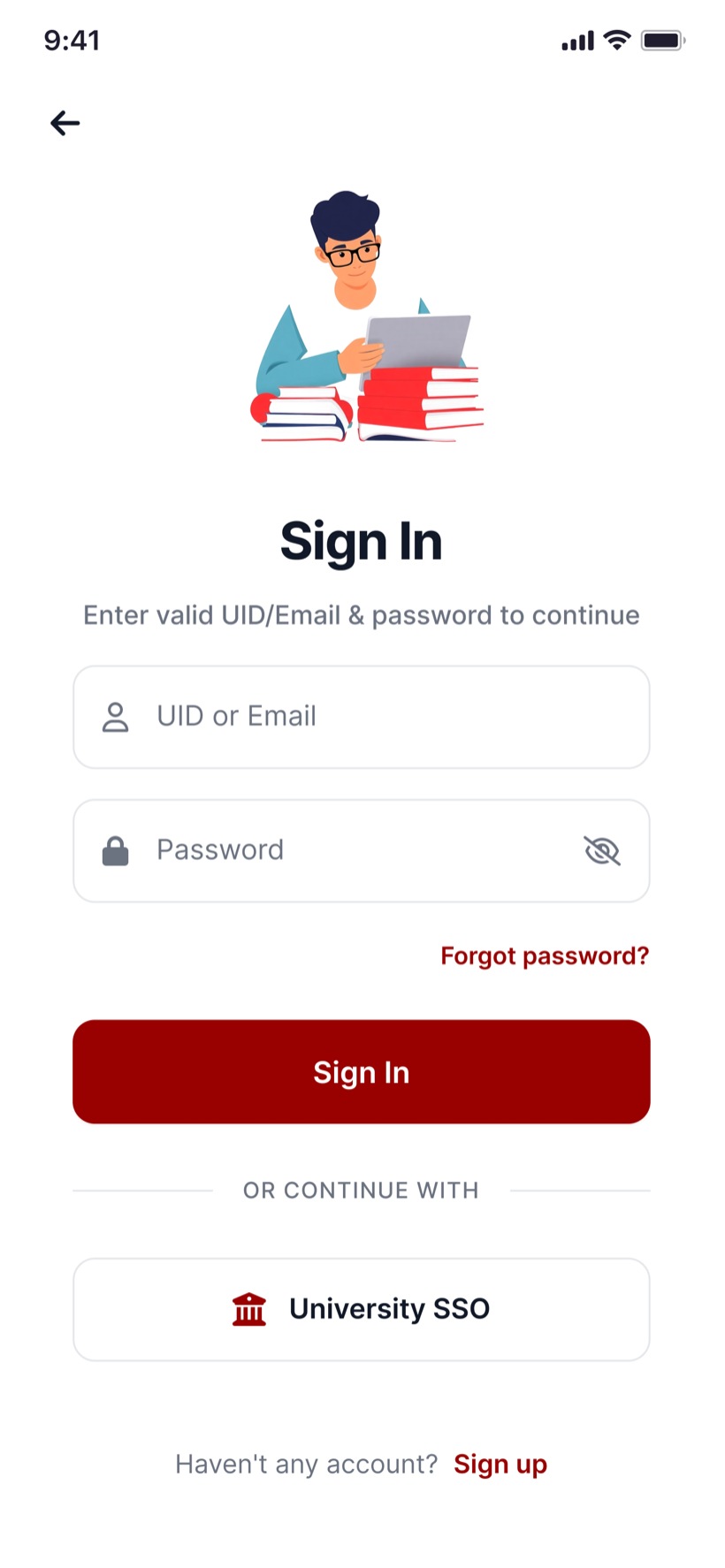
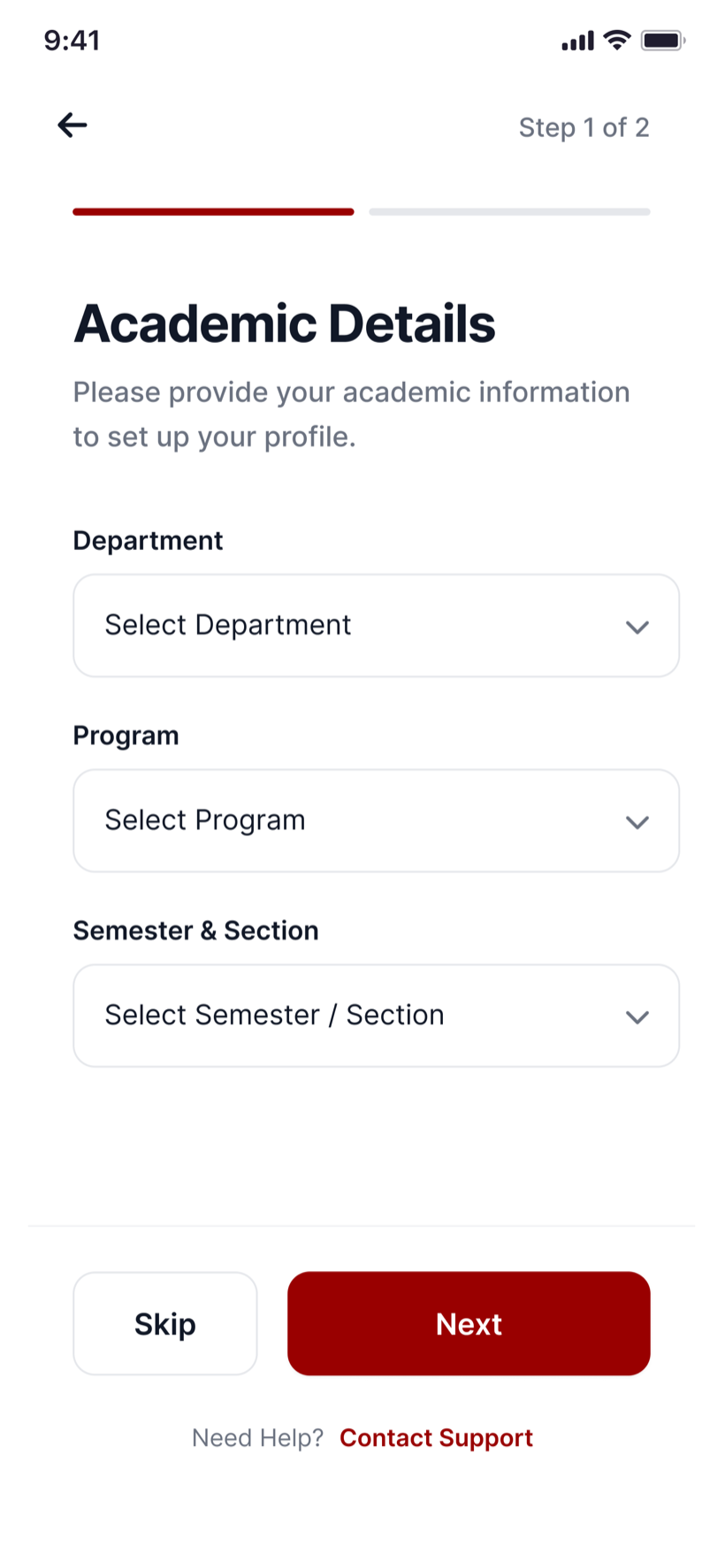
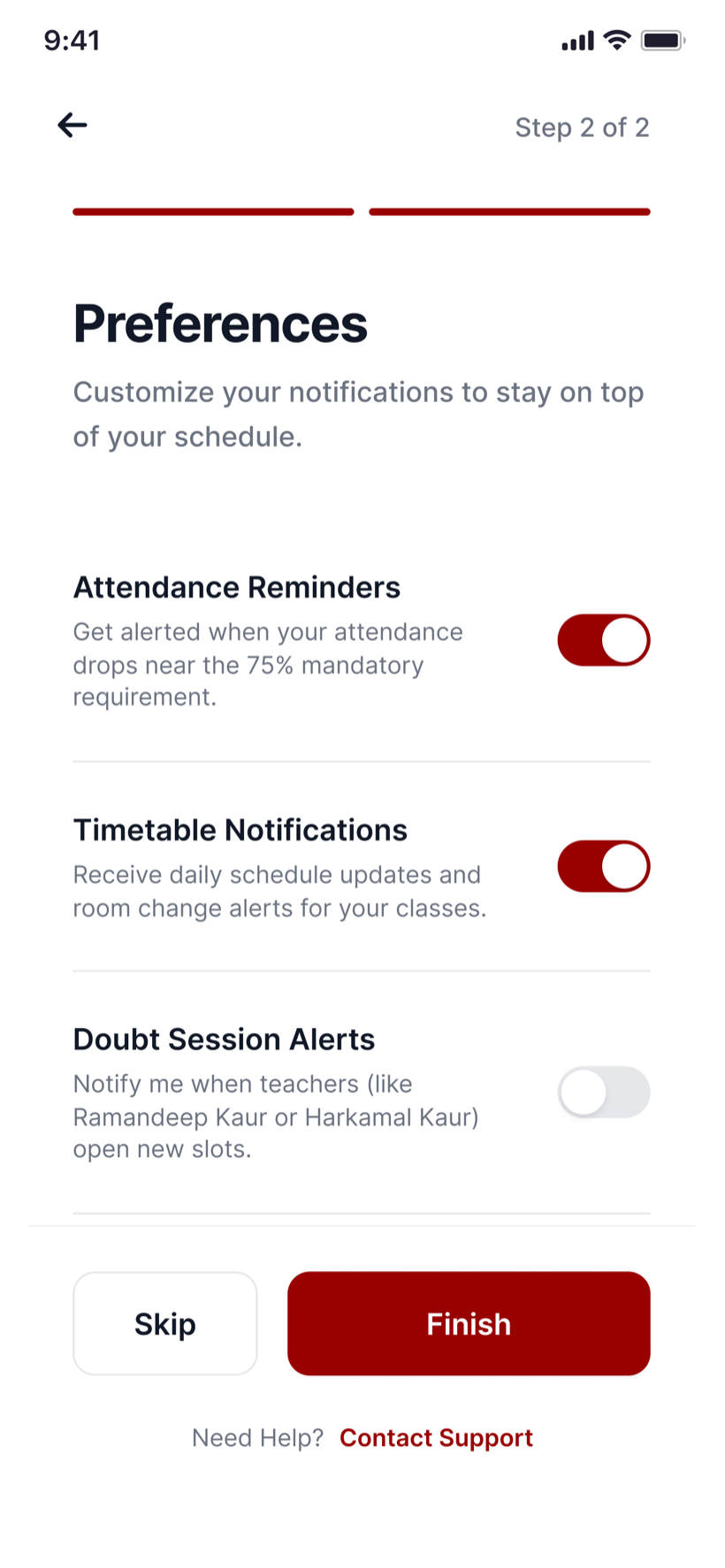
- 1Sign in with University SSO
- 2Academic details
- 3Notification preferences
- 4Personalised dashboard
Onboarding had to feel official and effortless. Students sign in with University SSO — no new password — then set up an academic profile (department, program, semester) and choose which alerts matter: attendance warnings, timetable changes, doubt-slot openings. Two short, skippable steps, and the dashboard arrives already personalised.
05 — The daily loop
Attendance, timetable and doubts
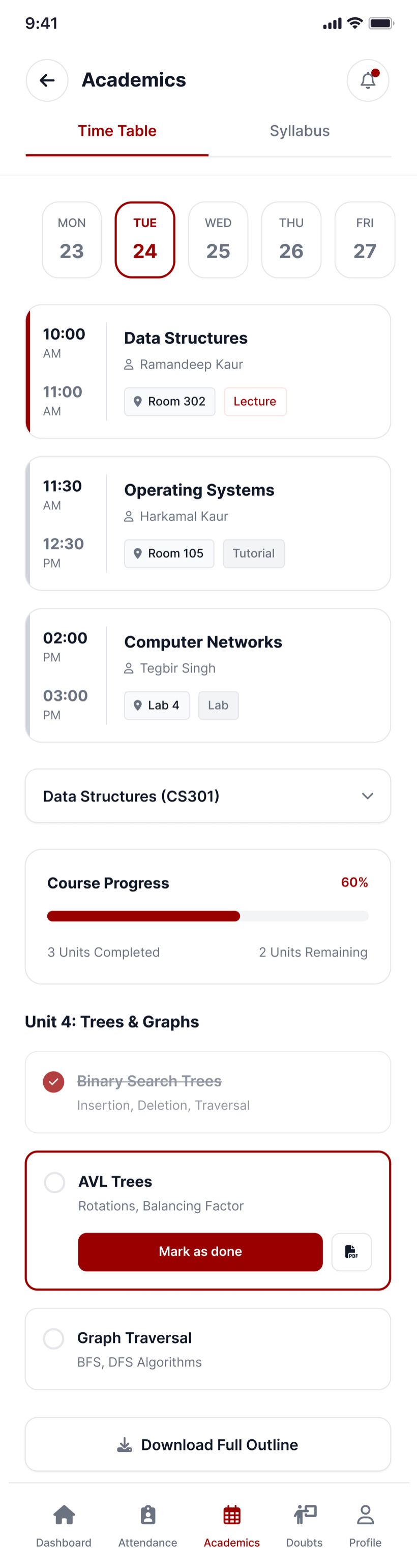
The everyday experience centres on three jobs. Attendance turns a scary percentage into an actionable buffer with a clear safe/at-risk status and a way to flag marking errors. The timetable surfaces today's classes with rooms and pushes changes proactively, while syllabus progress keeps coursework visible. And doubt sessions let a student browse faculty availability, book a slot with context, and get an instant confirmation with a meeting link.
“It feels like the app is on my side — I finally know exactly where I stand.”
06 — Design system
An official app students don't hate
Status as a language
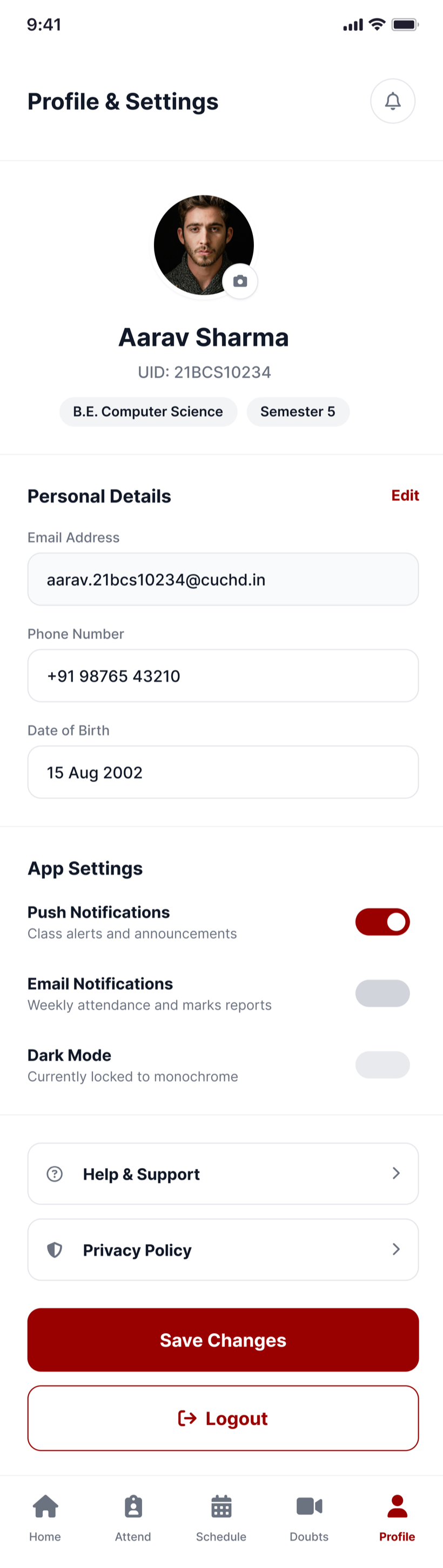
Consistent safe / at-risk / info states across attendance, classes and bookings so a student reads their standing instantly, everywhere.
Crimson with restraint
A confident institutional red used sparingly for status and action, on generous white space — official, never heavy.
Built for real devices
Legible type, large touch targets and light screens tuned to perform on the mid-range Android phones students actually carry.
07 — Validation
Tested with students, on their phones
I ran weekly prototype tests with students during a pilot. The decisive change came from reframing attendance: when the buffer replaced the raw percentage, participants understood their standing instantly and made calmer decisions about skipping classes. The doubt-booking flow tested at near-total task success — students who'd never once approached a teacher for help booked a session without hesitation.
08 — Impact
Students on top of their term
- 0
- Jobs in one app
- 0+
- Screens designed
- 0
- Onboarding steps
- 0%
- Attendance line
attendance, timetable, syllabus, doubts
SSO onboarding to booking confirmation
SSO, then set up and go
turned into a glanceable buffer
09 — Reflection
Looking back
Reframe the metric, change the behaviour
The single highest-impact decision was showing a buffer instead of a percentage. Same data, completely different calm.
Proactive beats comprehensive
A timely room-change nudge did more for attendance than any dashboard. Notify at the right moment, don't just display.
Next
Gentle streaks and nudges for at-risk students — support timed to their real routines, never guilt-based spam.
Want the full walkthrough — decisions, dead ends and all?